

Description
Download AutoEntry APK – invoice scanner, receipt scanner, expense tracker, data entry automation, accounting software integration, mobile data entry, document capture, expense report, business accounting, invoice processing
Overview
AutoEntry is a mobile application designed to streamline data entry for business and personal accounting tasks. The software enables users to capture invoices, receipts, and expense statements using their smartphone camera, automatically extracting key financial data and transferring it into compatible accounting platforms. This tool is specifically tailored for individuals and organizations seeking to reduce manual data input, minimize errors, and improve efficiency in financial record-keeping. It is particularly useful for freelancers, small business owners, and finance teams managing frequent transactions.
The application functions as a digital assistant for financial documentation, allowing users to take photos of documents on the go, edit extracted details, split expenses across multiple categories, and generate structured expense reports for approval workflows. It supports integration with major accounting software such as Sage, Xero, QuickBooks, FreeAgent, Kashflow, and Reckon, enabling seamless synchronization between mobile capture and backend systems. The developer, AutoEntry Ltd., has positioned this tool as a solution for modern, mobile-first accounting practices.
Users must first sign up for a free trial via the AutoEntry website to access the app. This ensures that the software is used within an established workflow and aligns with the intended business model. While the app is available exclusively for existing users, its functionality is designed to support real-world scenarios such as travel expense reporting, vendor invoice processing, and daily expense logging.
Key Features & Capabilities
- Document Capture – Users can take photos of invoices, receipts, and financial statements directly through the app, enabling instant digital storage and processing.
- Automatic Data Extraction – The app uses built-in tools to identify and extract relevant fields such as vendor name, date, amount, and itemized details from captured documents.
- Expense Splitting – Allows users to divide a single expense across multiple categories or projects, supporting complex accounting needs.
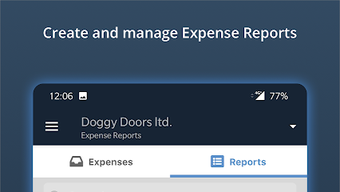
- Expense Report Generation – Automatically compiles scanned documents into organized reports that can be submitted for approval or further processing.
- Accounting Software Integration – Seamlessly connects with leading platforms including Sage, Xero, QuickBooks, FreeAgent, Kashflow, and Reckon, ensuring data flows directly into the user’s accounting system.
- Offline Mode Support – Users can capture and store documents locally without an internet connection, with data syncing once connectivity is restored.
These capabilities are especially valuable in fast-paced environments where timely expense reporting is critical. For example, a sales representative can scan a client invoice during a meeting and immediately assign it to the correct project. Similarly, a business owner managing multiple income streams can use the app to categorize and track daily outlays efficiently. The integration with established accounting systems reduces the need for double-entry and enhances data accuracy.
User Interface, Workflow & Performance
The user interface of AutoEntry is designed with simplicity and efficiency in mind. Navigation is intuitive, guiding users through the document capture, editing, and submission process with minimal friction. The main screen typically features a camera viewfinder, a quick-access menu for recent documents, and a status indicator for pending tasks or sync operations.
Workflow efficiency is enhanced by a streamlined sequence: capture → review → edit → submit. Users can correct any inaccurately extracted data directly within the app, such as adjusting amounts or reassigning categories. The interface supports touch-based interactions, making it suitable for use on a wide range of Android devices.
Performance details were not specified by the developer. However, based on standard mobile application behavior, the app is expected to operate smoothly on devices meeting basic Android requirements. The developer did not provide information on CPU or RAM usage, nor did they specify stability metrics under heavy usage. Resource consumption patterns are likely optimized for background processing, but exact performance data remains unavailable.
Compatibility & System Requirements
AutoEntry is available for Android devices and was released on May 10, 2024. The application has a file size of 100 MB, indicating a moderate installation footprint suitable for most modern smartphones and tablets.
Supported operating systems are limited to Android, with no information provided about specific version requirements or hardware specifications. The developer did not specify minimum screen resolution, processor speed, or memory capacity needed for optimal performance. Exact system requirements were not listed, and compatibility with older Android versions remains unconfirmed.
Users should ensure their device supports camera access, internet connectivity, and background app execution to fully utilize the app’s functionality. For integration with accounting platforms, users must maintain an active account with AutoEntry and have the necessary permissions to sync data.
Pros and Cons
Pros
- Efficient mobile data entry automation for invoices and receipts
- Seamless integration with major accounting software platforms
- Supports expense splitting and report generation for better financial tracking
- Available at no cost, with a free trial access model
- Offline functionality allows document capture without internet
- User-friendly interface designed for on-the-go use
Cons
- Exclusive access for existing AutoEntry users; not available for new sign-ups directly via the app
- No public details on system requirements or device compatibility beyond Android
- Performance and resource usage metrics not disclosed
- Limited to Android platform; no support for iOS or other mobile OS
- Requires a web-based account setup before use
FAQ Section
Is AutoEntry available for iOS devices?
Currently, AutoEntry is only available for Android. There is no official iOS version announced.
Can I use AutoEntry without an existing accounting software?
No. The app requires integration with supported accounting platforms such as Sage, Xero, QuickBooks, FreeAgent, Kashflow, or Reckon. It cannot function independently of these systems.
Is the app secure for handling financial documents?
While the developer did not provide specific security details, the app is designed to handle sensitive financial data. Users are advised to follow standard security practices, including using strong passwords and enabling device-level encryption.
How do I get started with AutoEntry?
To use the app, users must first sign up for a free trial on the AutoEntry website. Once registered, they can download the APK and link their accounting software for full functionality.
Does AutoEntry support automatic updates?
Automatic updates are managed through the Google Play Store (or alternative APK distribution channels). Users should ensure their device settings allow for background updates to receive the latest version promptly.
Final Thoughts + CTA
AutoEntry delivers a focused and practical solution for professionals and individuals aiming to automate their financial data entry. Its core strength lies in its ability to bridge mobile capture with established accounting systems, reducing manual labor and improving accuracy. While it is limited to Android users and requires prior account setup, the benefits of automated invoice and receipt processing are substantial.
For small business owners, remote workers, and finance teams, this tool offers a reliable way to maintain up-to-date records without the burden of repetitive data entry. The combination of document capture, intelligent extraction, and integration with major platforms makes it a compelling choice in the business accounting space.
Download AutoEntry now
Guides & Tutorials for AutoEntry APK
How to install AutoEntry APK
- Click the Preview / Download button above.
- Once redirected, accept the terms and click Install.
- Wait for the AutoEntry APK download to finish on your device.
How to use AutoEntry APK
This software is primarily used for its core features described above. Open the app after installation to explore its capabilities.
User Reviews for AutoEntry APK 0
No reviews found





